



Simplify admin setup & security
MEX admin control centre gives you full control over CMMS system setup and security. Customise fields, manage user access, and handle everything from one easy location.

Stronger security
Control who can view or edit data, set mandatory fields, and keep your CMMS system secure without extra setup or IT help.

Easy customisation
Rename buttons, add custom fields, and adjust layouts so MEX fits your workflows and captures the data you need.

Audit visibility
View every change made in MEX with the audit viewer, giving you full traceability and simpler compliance checks.


All-in-one control
Admin control centre brings security, setup, and customisation together—helping admins manage everything from one control panel.
.svg)
Security setup
Manage who can view or edit data with simple, built-in permission controls.

Mandatory fields
Define key data that users must enter to keep records accurate and compliant.

Custom fields
Add extra fields for unique info that your organisation needs to track or report.

Name changes
Rename buttons, tabs, or labels instantly to match your team’s terminology.

Audit viewer
View a full record of all system changes for clear traceability and audits.

Visual editing tools
Edit fields, buttons, and layouts with colour-coded markers and drag-and-drop control.
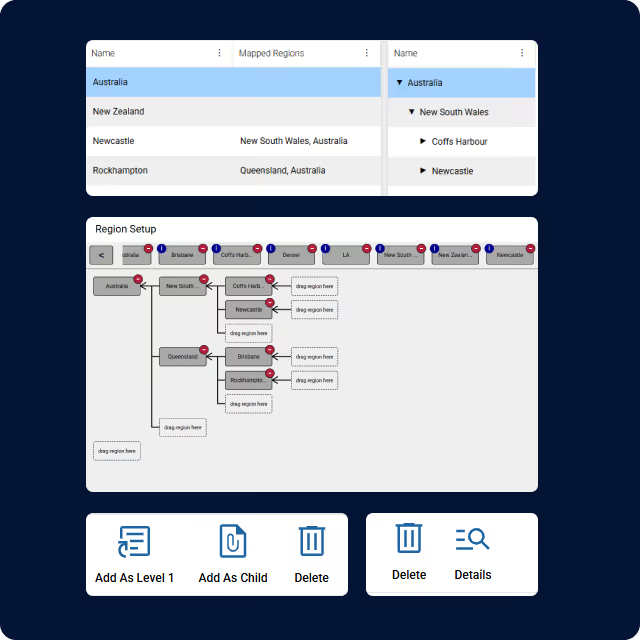
Manage users across every site
Pair Admin Control Centre with MEX Multi-site Management to keep access consistent.
MEX CMMS FAQs
Answers to commonly asked questions about MEX features.
Manage user permissions by role, add custom fields, rename labels, set mandatory fields, and enable audit mode for full control and visibility.
Only administrators or approved users can open admin control centre, adjust permissions, and manage setup across all forms and modules.
No. It works alongside current MEX security settings, giving you faster, centralised control while keeping your previous configurations intact.
Improves data security by restricting changes to authorised users and enforcing mandatory fields for data integrity.
Yes. You can rename buttons, tabs, and labels, or add new fields to make MEX match your organisation’s structure and terminology.
The audit viewer tracks all system edits, showing who changed what and when—helping with transparency, accountability, and compliance checks.
Security settings apply to iOS when MEX is used in a browser, keeping your access rules and protection consistent across all devices.
Yes. Administrators can disable or limit access to admin control centre, ensuring only authorised staff can update settings or permissions.
.svg)
Take control of your maintenance & asset management
Simplify daily operations with a connected CMMS built for real-world teams. Track assets, schedule work, and manage inventory—all in one easy platform designed to keep your organisation moving.