


In this post

.jpg)
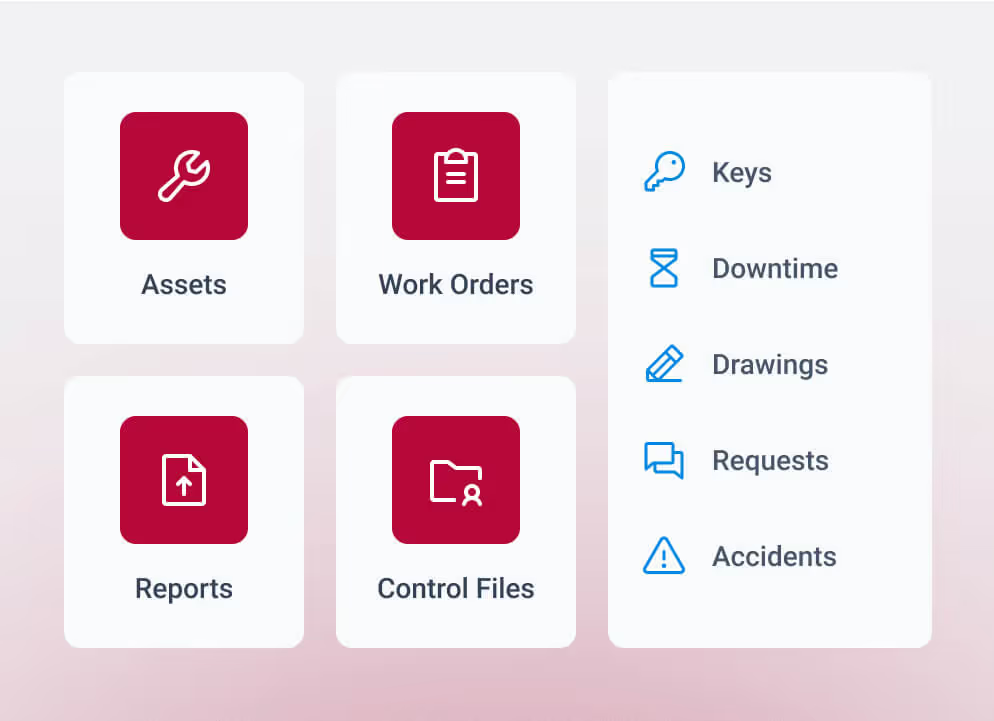

Maintenance teams across manufacturing, food & beverage, healthcare, and many other facilities face rising pressure from staffing shortages, compliance demands, aging infrastructure, and stronger expectations for uptime. Spreadsheets and disconnected tools slow work, limit visibility, and make it harder to stay ahead of repairs. A CMMS software or enterprise asset management software provides the structure needed for clearer oversight and more coordinated maintenance activity.
This guide outlines the differences between CMMS and EAM platforms, the value each offers, and the factors that shape the right fit. The goal is to give you a straightforward framework to match your choice to current needs and long-range priorities.
CMMS and EAM: Two paths to better maintenance management
CMMS and EAM systems fall under the same maintenance technology umbrella, but they respond to different pressures inside a facility. A CMMS focuses on the daily work required to keep equipment running. An enterprise asset management system spans full asset lifecycles across buildings, departments, and regions. Each plays a specific role depending on scale, maturity, and operational complexity.
The next sections outline how each system works, where they differ, and how teams can align their decision with asset volume, compliance expectations, visibility needs, and future planning goals.
What is a CMMS software?
A CMMS gives maintenance teams a centralised maintenance management system for the work that keeps equipment running each day. It brings together work request management, maintenance scheduling, inventory management, and maintenance history so technicians can manage tasks without digging through disconnected files or outdated spreadsheets.
Most organisations adopt a CMMS as their first step toward structured maintenance. It replaces manual tracking with a clear workflow and better insight into completed, upcoming, and overdue work. This reduces backlogs and recurring reactive tasks while giving technicians a grounded view of what requires attention.
A CMMS also manages spare parts and inventory management, helping teams record what was used, what needs restocking, and where delays may surface. These details strengthen the accuracy of asset records and support more predictable maintenance activity.
A CMMS supports the daily rhythm of facility work. Technicians get real-time updates, accurate records, and a schedule they can act on. For a deeper look at core workflows, our overview of “what is a CMMS” breaks down common use cases.
Mobile access for technicians
Field teams depend on mobile tools to manage tasks across buildings, campuses, and distributed environments. Mobile access gives technicians the ability to view assigned work orders, record maintenance history, capture photos, update asset details, and close tasks on the spot.
This improves data quality, reduces delays, and keeps maintenance activity aligned across both CMMS and EAM deployments. MEX's mobile capabilities support teams that rely on real-time updates to guide daily work.
What is an Enterprise Asset Management (EAM) software?
Enterprise asset management software expands the scope of maintenance technology from day-to-day work to full asset lifecycle management. It supports lifecycle planning across large or multi-site environments and gives maintenance leaders a central system to monitor asset condition, analyse performance, guide replacements, plan capital projects, and maintain compliance.
Enterprise asset management platforms extend maintenance operations into long-range oversight. Teams gain a broader view of asset health, spend, and risk across the organization. This level of lifecycle management supports decisions about replacement timing, capital allocation, and long-term performance.
EAM software also incorporates multiple maintenance strategies. Preventive schedules remain essential, but many teams add condition-based or predictive maintenance as their environments mature. This lowers the likelihood of failures across critical equipment and stabilises performance across the portfolio.
Track lifecycle data across assets
Lifecycle data spans every stage of an asset’s use inside an organization and forms the foundation of strong asset lifecycle management. This includes:
- Purchase details and commissioning activity
- Condition history across preventive, corrective, and predictive work
- Compliance records, inspections, documentation, and audit trails
- Replacement schedules and estimated remaining life
- Capital planning inputs tied to long-term budgets
- Depreciation tracking and financial data from integrated systems
This level of detail gives leaders a clear picture of risk, cost, and future investment needs.
What is the difference between CMMS and EAM?
CMMS and EAM platforms serve different levels of maintenance demand. A CMMS guides daily activity with work orders, schedules, asset records, and technician tasks. An EAM adds lifecycle planning, multi-site oversight, forecasting, and the operational visibility needed for high-stakes or distributed environments.
The table below highlights where each system aligns with organisational needs.
CMMS vs EAM Comparison
This table summarises key differences between CMMS and EAM systems so readers can quickly evaluate which approach fits their organisation’s size, complexity, and maintenance strategy.
The right system aligns with your scale, compliance demands, asset load, and long-term planning expectations. The next sections outline clear indicators that point toward a CMMS or an EAM, so maintenance and facilities leaders can move forward with clarity.
Integration depth in CMMS vs EAM systems
Integrated data is a major factor when comparing CMMS and EAM platforms. Each system supports different levels of connectivity depending on maintenance complexity and organisational structure.
How CMMS platforms typically integrate
CMMS tools handle essential maintenance workflows and usually connect to a limited set of supporting systems. These integrations focus on operational needs such as:
- Basic ERP or finance exports
- Vendor management or procurement tools
- Building-level systems that support work order management
The goal is to streamline task execution without adding heavy implementation requirements.
How EAM platforms approach integrations
EAM systems connect maintenance data with the broader operational ecosystem. This supports lifecycle planning, compliance, and cross-department coordination through integrations such as:
- ERP and enterprise resource planning systems
- Finance and asset depreciation modules
- HR and scheduling tools
- BIM and GIS software systems
- Building automation systems
- Industry-specific applications across regulated environments
MEX supports this through established connection points and a structured implementation model that keeps data accurate and workflows stable. This level of integration strengthens performance monitoring, risk assessment, and long-range planning.
Reporting capabilities in CMMS vs EAM
Maintenance decisions depend on accurate reporting, and CMMS and EAM platforms deliver different levels of depth.
CMMS reporting examples
CMMS platforms answer operational questions such as:
- Which assets require work this week?
- How many work orders remain open and why?
- Which preventive tasks are overdue?
- How is technician workload distributed?
Reports often include:
- Work order history
- PM completion rates
- Asset condition notes
- Labor and time tracking
- Inventory management activity and spare parts usage
- Asset tracking details tied to maintenance scheduling
EAM reporting examples
EAM platforms support broader strategic questions:
- Which assets pose the highest operational risk?
- What capital projects require budget this year or next?
- How do maintenance costs compare across locations?
- What long-term trends affect asset performance and replacement cycles?
Reports often include:
- Multi-site performance dashboards
- Capital planning forecasts
- Lifecycle cost analysis
- Compliance and audit documentation
- Predictive maintenance insights tied to lifecycle management
These insights help leaders plan budgets, set priorities, and stabilise performance across facilities.
How to choose between CMMS and EAM
Teams move toward a clear decision once they look at a few foundational factors. These points reveal whether the operation requires a system focused on daily maintenance or one designed for long-range planning and portfolio-wide oversight.
1. Evaluate your scale
Review the number of buildings, asset load, and how much coordination is required across staff and locations. A single facility often works well with a CMMS. Distributed or regional environments typically need an EAM.
2. Review compliance requirements
Healthcare, education, government, manufacturing, and other highly-regulated environments require structured reporting and complete documentation. EAM platforms support those demands with lifecycle data and stronger oversight.
3. Determine how far your data needs to reach
Operations that need work and asset data connected to ERP, finance, HR, BIM, GIS, or building automation systems benefit from an EAM. A CMMS supports lighter, task-driven connections.
4. Assess lifecycle planning requirements
Forecasting, capital planning, and long-range budgeting require deeper analytics and portfolio-level visibility. Once those activities become part of your maintenance planning, an EAM provides the framework needed to guide investment decisions.
When do you need a CMMS?
A CMMS supports teams running daily maintenance in a single building or a modest portfolio. Manual processes often create delays, missed maintenance schedules, and recurring reactive maintenance. A CMMS gives teams a structured way to manage tasks, maintain accurate asset history, and track progress without digging through scattered files or outdated software systems.
A CMMS fits well when:
- You run a single site or campus with moderate asset complexity
- You rely on spreadsheets, paper, or disconnected tools to manage maintenance
- You face recurring work order backlogs, reactive maintenance, or inconsistent maintenance schedules
- You want to modernise daily operations without adding enterprise-level overhead
A CMMS also strengthens asset reliability through better visibility into work order patterns, spare parts availability, and technician workload. These details create a clearer picture of asset uptime and help teams respond faster when equipment needs attention.

When do you need an EAM?
An enterprise asset management software becomes essential once the facility landscape outgrows what a CMMS can support. As portfolios expand, regulatory requirements intensify, or coordination spreads across buildings or regions, operations need full lifecycle oversight and deeper performance monitoring. An EAM provides a broader framework for asset performance management, long-term planning, and risk assessment across the organization.
Enterprise asset management software fits well when:
- You manage multiple buildings, campuses, or regional operations
- You want standardised processes across departments or locations
- You maintain regulated assets in healthcare, education, government, or manufacturing
- You rely on capital planning or decisions tied to asset depreciation and long-horizon budgeting
- You need deep integrations with enterprise resource planning tools, finance systems, BIM, GIS, or building systems
These environments depend on stronger lifecycle insight, broader reporting, and more connected workflows to maintain asset reliability at scale. EAM platforms support that level of coordination through centralised data, multi-site analytics, and lifecycle management.
CMMS → EAM maturity path
Many organisations begin with a CMMS to stabilise daily maintenance activity. As asset portfolios expand and visibility gaps grow, a CMMS may no longer provide the level of insight needed for planning and risk management. The move to EAM becomes the next step once teams need forecasting, cross-site reporting, or deeper integrations.
Common signals that point toward an EAM include:
- Multiple buildings or campuses that need unified workflows
- Growing compliance demands
- More complex equipment portfolios
- Rising expectations for forecasting, reporting, and capital planning
- New integration requirements across IT, finance, and building systems
A university managing a single campus, for example, may adopt a CMMS to organise daily maintenance. As new buildings, research centres, or satellite facilities come online, the operation often transitions to an EAM for broader coordination.
TMA supports this shift through modular platforms that scale with the operation so teams can expand without replacing core systems.
From CMMS to EAM, we support your entire journey
MEX supports maintenance teams through every stage of growth. Some organisations start with a CMMS for daily work. Others deploy an EAM model to coordinate lifecycle planning across multiple facilities. Many take a hybrid path that strengthens both field activity and long-range planning. Being apart of the TMA Systems' portfolio, MEX, WebTMA, and EQ2HEMS, we give organisations coverage across maintenance management, asset planning, and portfolio oversight.
TMA Systems' modular approach lets teams adopt the capabilities they need today and expand as their asset load increases. Configurable workflows, reliable integrations, and experienced implementation teams provide a stable foundation for both immediate maintenance activity and long-term planning.
Choosing the right TMA Systems platform
TMA Systems' platform family supports a wide range of operational needs:
- MEX: A streamlined CMMS for smaller or emerging teams
- WebTMA: Scales from CMMS to EAM based on configuration and supports single-site and enterprise environments
- EQ2HEMS: Designed for clinical assets and compliance-heavy settings
Bring your asset data, maintenance priorities, and long-range plans. We will guide you toward the platform that fits your current scale and supports the direction your organisation is growing.
FAQs about CMMS vs EAM
Related resources
Let’s work smarter, together
Our team is committed to solving real-world problems with tools that meet you where you are.
Ready to see how?
